
Credit or Debit card payments with ChainBits (Simplex)
Jul 7, 2022 7:44:24 AM

Using ChainBits, you can top up your LeoList Gift Card instantly using a credit or debit card from the comfort of your own home. You will need your LeoList Litecoin (LTC) address.
How to send LTC to LeoList using ChainBits in 3 easy steps!
-
Visit the ChainBits LTC page and enter the dollar or LTC value you wish to purchase, along with your LeoList LTC address. Then click Continue. You can watch our video tutorial for more information on how to locate your LeoList LTC address.

-
Select a payment method and enter your billing information to finalize the payment.
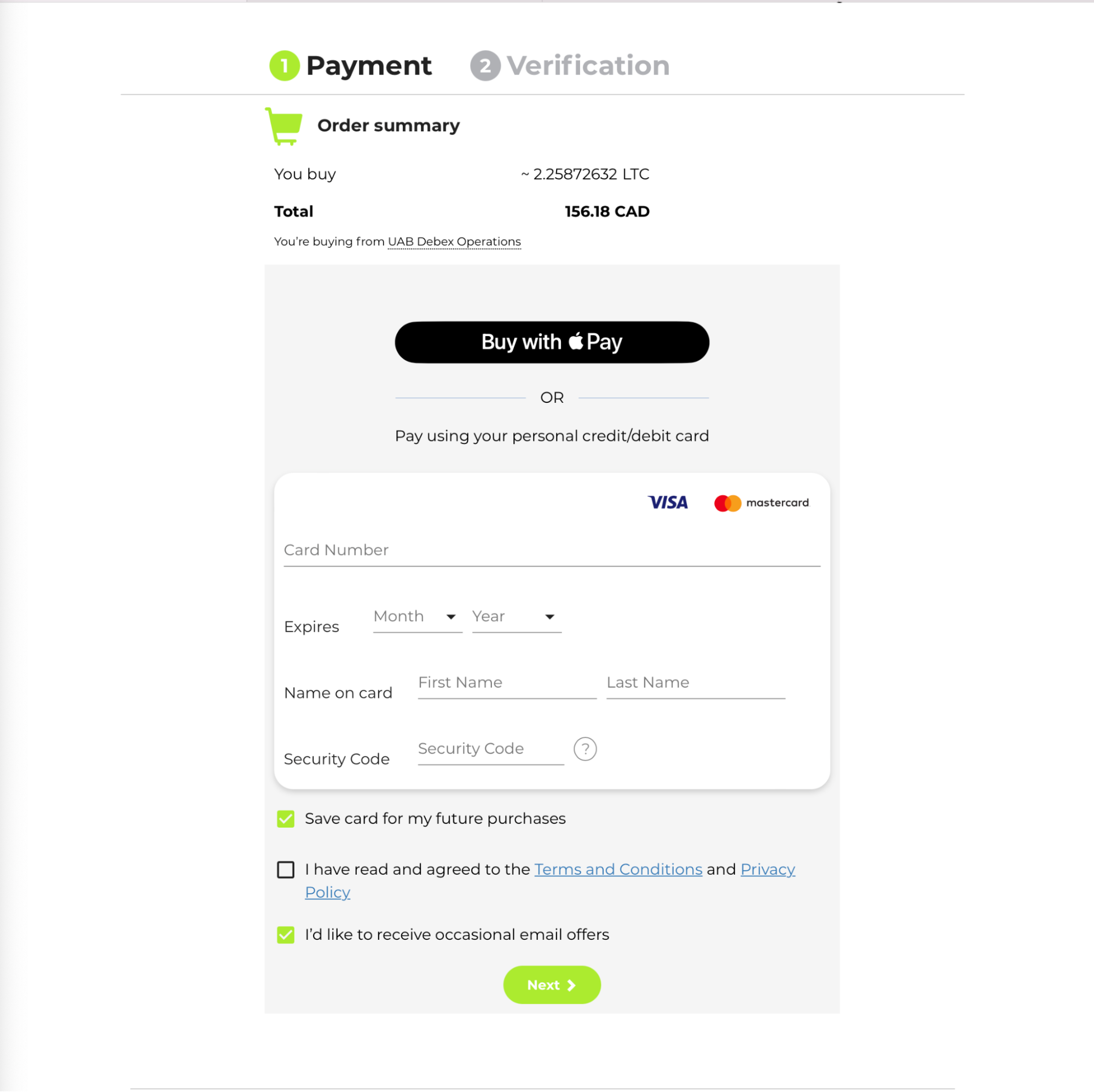
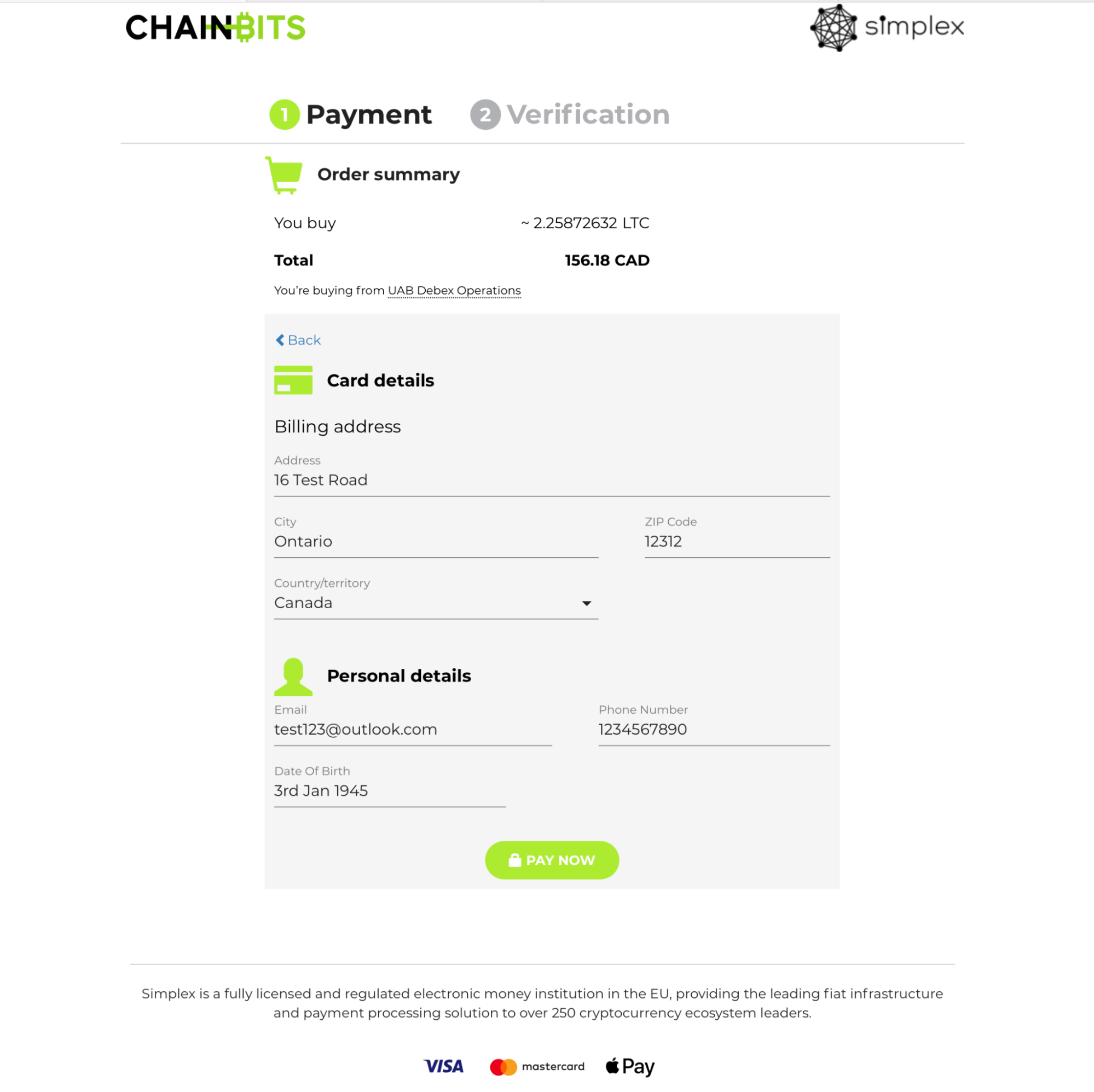
-
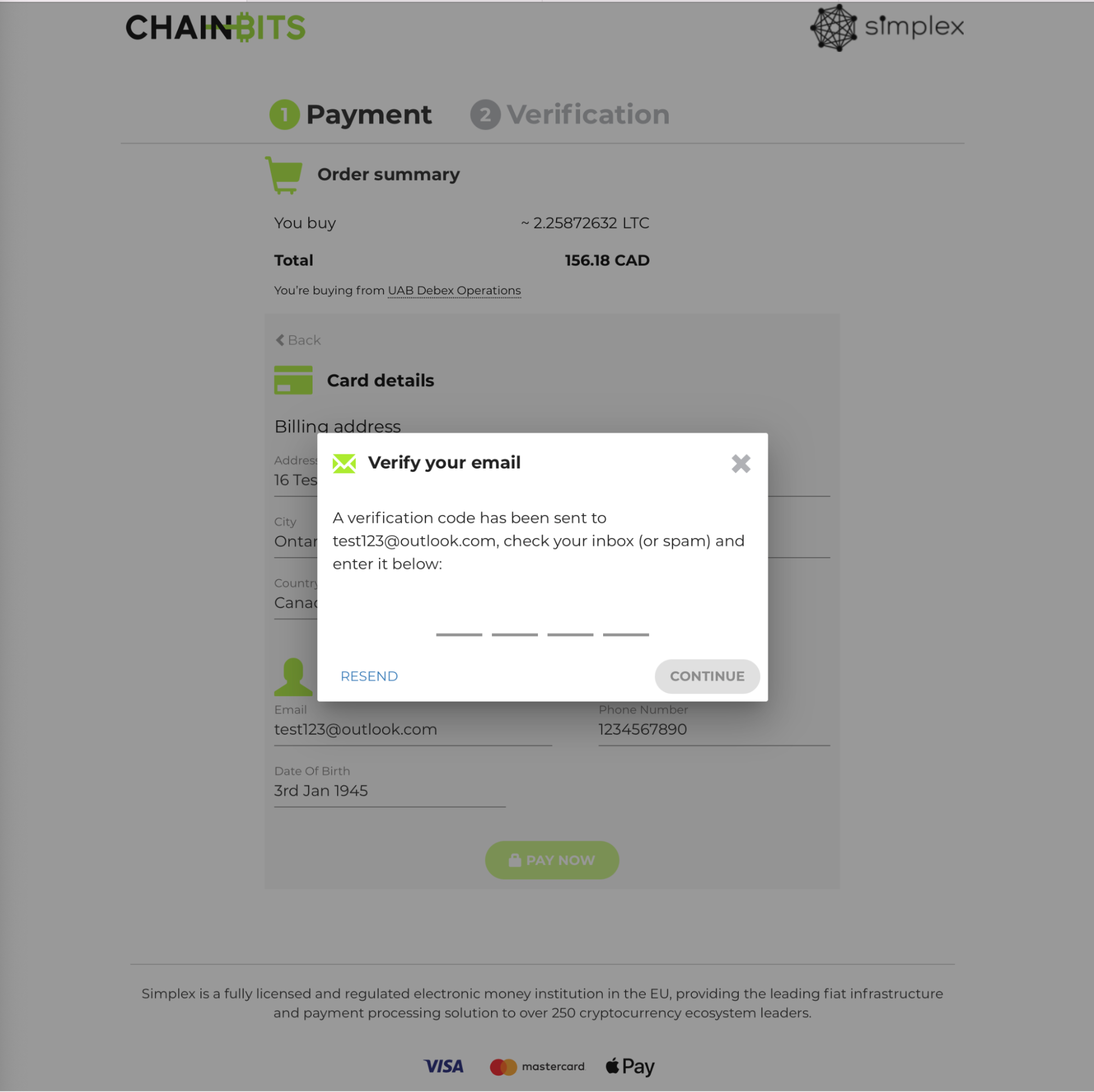
Once you have entered a verification code which is emailed to you, your LTC will reach your LeoList Gift Card soon after, and you’ll receive an email from us once it has arrived!

Having trouble with this? Try a different method including the likes of Interac and Cash. Our Customer Support team is also on hand 24/7 to handle any queries you may have. Please reach out to us using support@leolist.cc if you need any assistance, we’re always here for you.
Cheers,
The LeoList Team 🦁
Please note: LeoList is in no way affiliated with ChainBits. All materials and contents found in this blog are strictly for general circulation and informational purposes only and should not be considered as an offer, or solicitation, to deal in any of the services or products found/identified in this site.
Any opinion or estimates contained in this blog are made on a general basis and neither LeoList nor any of its employees or agents have given any consideration to nor have they or any of them made any investigation of the objectives, financial situation or particular need of any user or reader, any specific person or group of persons.
You should consider carefully if the services or products are suitable for your objectives, experience, risk tolerance and other personal circumstances. Opinions expressed here in are subject to change without notice.